
Walking a ZentBuy order through, screen by public screen
Seven screens stand between a listing and your doorstep. Each wants something from you and costs something at that point; here is which, plus the field worth reading twice.
Five icons on the official chart, nine labels inside the account
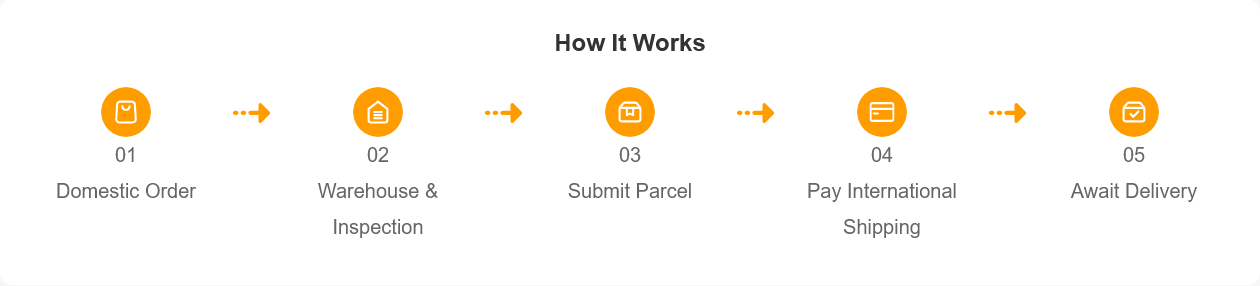
ZentBuy's home page draws the whole process as five orange icons joined by dotted arrows: Domestic Order, Warehouse & Inspection, Submit Parcel, Pay International Shipping and Await Delivery. Once you are logged in, the same trip is split into nine status labels, running from Order Submitted to Delivered & Confirmed, according to the help article that lists them (last edited July 17, 2026). The icons tell you when money leaves your wallet. The labels tell you who is holding the item at that moment.
This page follows the icons and adds the labels where they change what you should do. It is written step by step for someone who has never used a shopping agent, so skip ahead if you already have an account and only want the freight or photo parts.
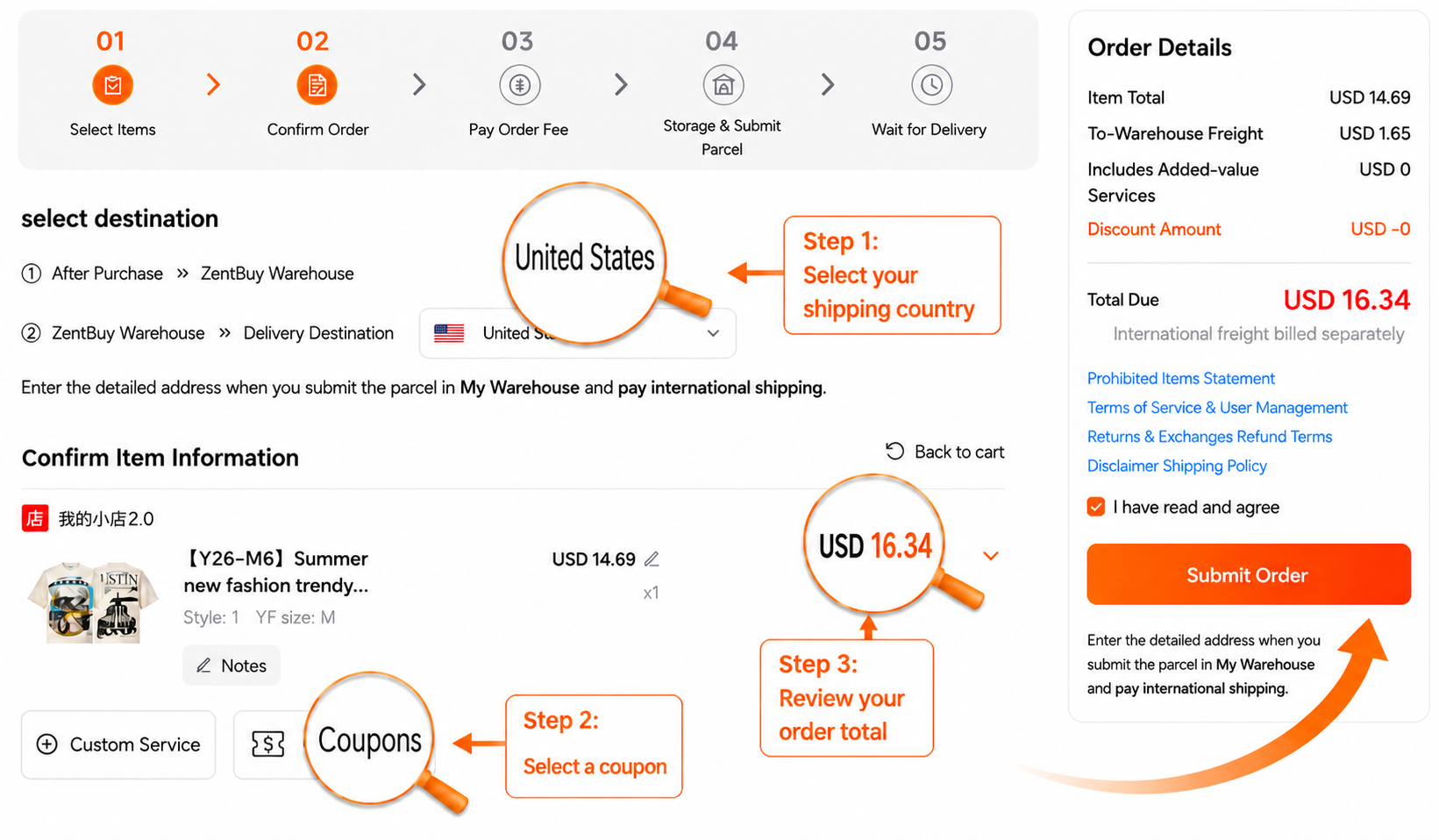
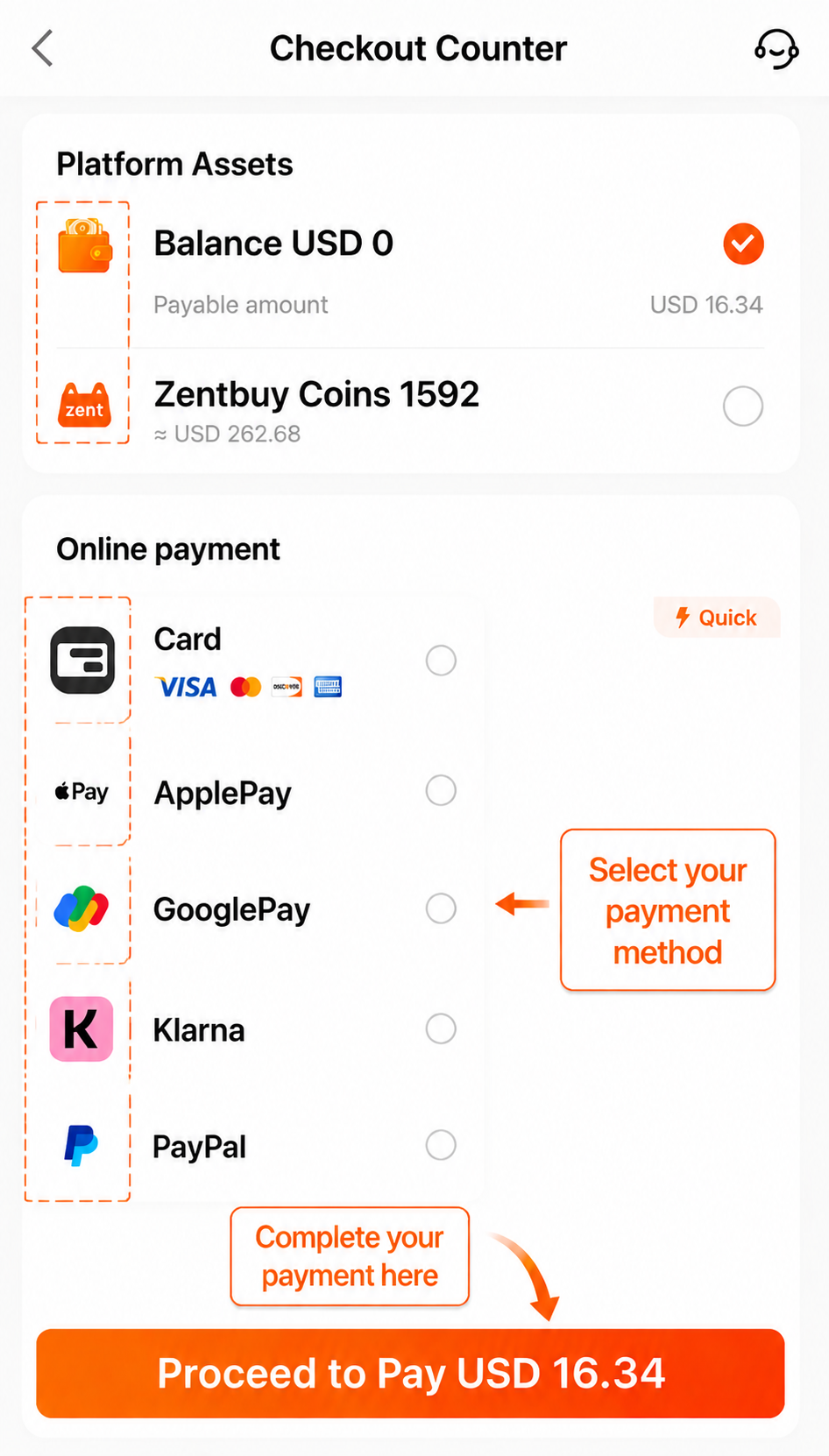
The operation screens below come from ZentBuy's official How to Use guide, rechecked 25 October 2026. They are annotated tutorial examples. Prices, payment options and routes shown must be checked again in your own checkout. The silent video below strings those guide images together in order; this site made it, ZentBuy did not.
Register: email, a password typed twice, an optional code
The form at zentbuy.com/register has four fields: an email address, a password, the same password again, and an invitation code marked optional. Under the orange Register button sit two quick-login buttons, Google and Discord, for anyone who would rather not invent another password. A tick box records that you accept two linked documents, a User Registration Agreement and a Privacy Statement.
Open that agreement once if fees matter to you. It is the only official page we found that mentions an 8 percent platform service fee on goods and on freight, while the fee article in the help center and the slogan on the home page both describe the buying service as free. We explain how we handle that clash on Fees and freight. We hold no ZentBuy invitation code, so leave the field empty when you sign up from here.
Ready to make the account?
The link opens ZentBuy's own registration form. Nothing is pre-filled and no code is attached.
Register at ZentBuy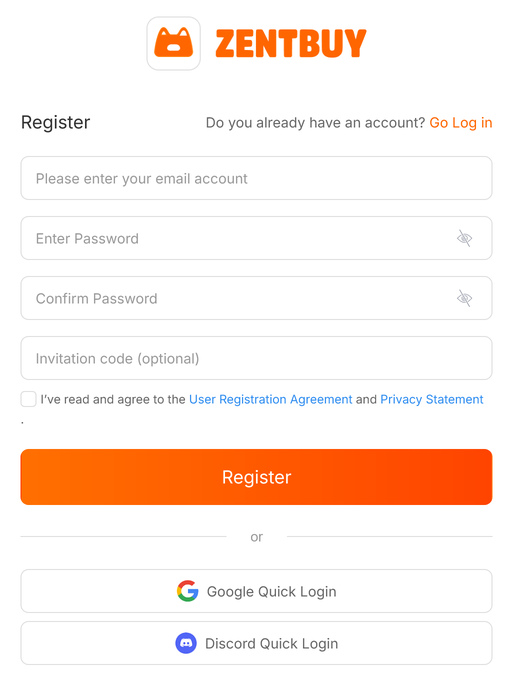
Paste an address, or type plain words into ZentBuy search
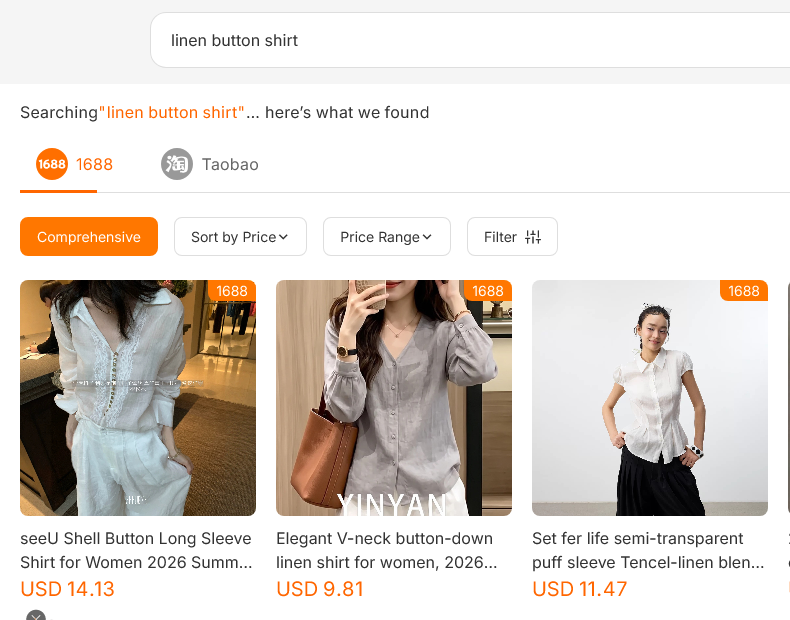
There are two ways in. If you already have a product address from Taobao, 1688 or Weidian, paste it into the search bar that sits at the top of every ZentBuy page and the item page opens. If you only know what you want, type words instead. Results come back under two headings, 1688 and Taobao, and when we searched for linen button shirt on October 23 the 1688 heading was selected first, with prices shown in US dollars on each tile.
Titles on those tiles are machine translations of the Chinese originals, so read them as hints. One result promised a Tencel-linen blend; the fabric mix on a 1688 tile is whatever the seller typed, and nobody at the warehouse tests it. Sort by price, set a price range or open the filter, but decide on the item page itself, where the specification menu and the seller's own photos live. Our catalog does the browsing for you in a narrower way: every pick links to its listing and comes with the one detail to zoom into once warehouse photos arrive.
China segment first; the cross-border segment waits for the scale
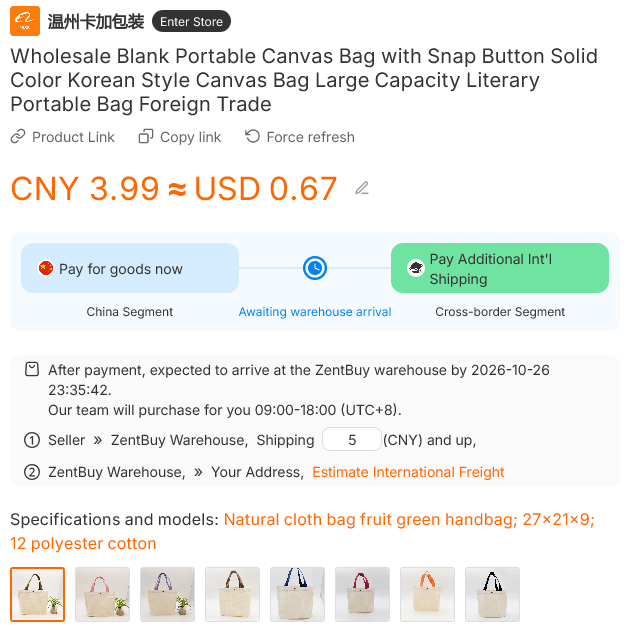
The item page leads with a yuan price and a converted dollar figure next to it. On the plain canvas tote we opened it read CNY 3.99 ≈ USD 0.67, with the seller's own charge for sending it to the warehouse set at 5 CNY. Below the price, a promised arrival date at the ZentBuy warehouse appears, along with the hours when staff place orders: 09:00 to 18:00 in UTC+8, which is China time.
A two-part bar spells out how payment is split. Pay for goods now covers what ZentBuy calls the China segment. Pay Additional Int'l Shipping covers the cross-border segment and comes later, after your items are weighed. Choose the colour or size from the specification thumbnails, add a note if the seller needs one, then put it in the cart or check out on the spot. The status guide says an agent confirms and places the order with the seller within 24 hours.
The current official guide shows wallet balance and online payment choices at the Checkout Counter. Use the methods offered for your own order. If you choose to top up a wallet first, follow its funding instructions. The recharge article names Visa, Mastercard and Discover for card top-ups, which normally arrive at once and in special cases take one to five working days. PayPal is the other route, landing in the wallet as dollars whichever currency you hold there; its help article warns that this can take up to an hour.
Shelving day and the QC image timestamp
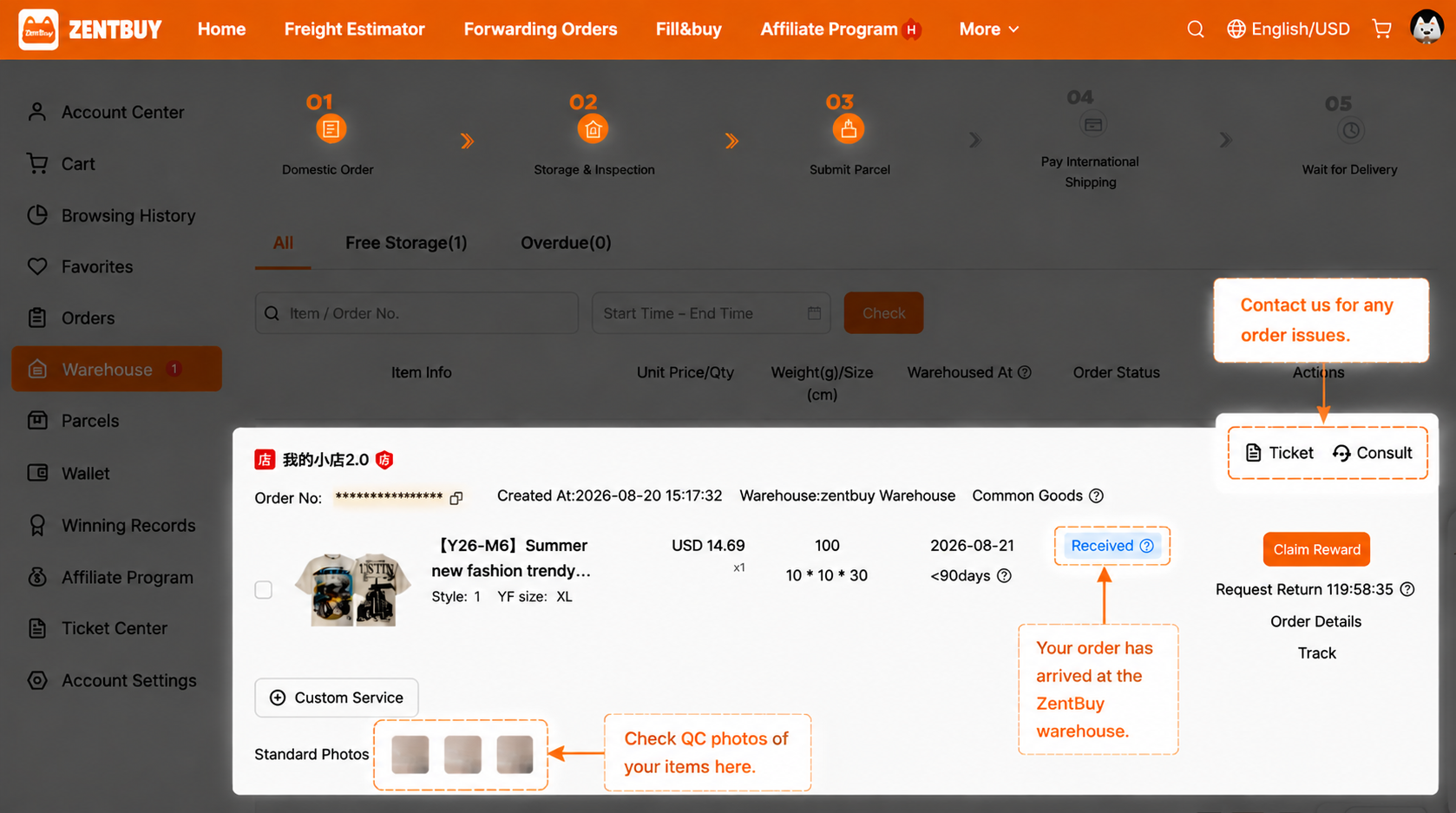
After the seller ships, the parcel crosses China to the ZentBuy warehouse. The inspection article puts normal domestic delivery at three to five days and asks you to contact support if nothing has arrived by then. On arrival, staff check quantity, colour, size and the specification you picked, take routine photos (usually three to six: one each of front and back plus a side or logo angle), then remove the seller's courier box and repack the item into a ZentBuy self-sealing bag before shelving it. The free storage clock starts the day the item is shelved.
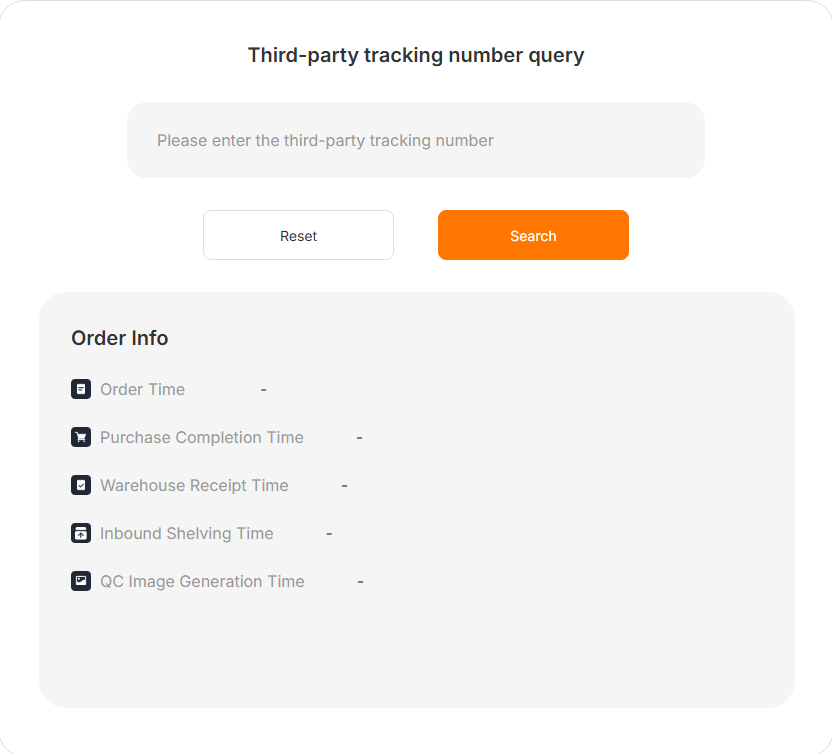
The public SourceTrack page shows the same milestones for an order looked up by its third-party tracking number: Order Time, Purchase Completion Time, Warehouse Receipt Time, Inbound Shelving Time and QC Image Generation Time. That last line is the moment the photos you will judge come into existence. Photo checks explains how to read them, and this is the point to order extra close-ups at 1 yuan each before anything is packed.
My Warehouse: choosing which items travel as a pair or a trio
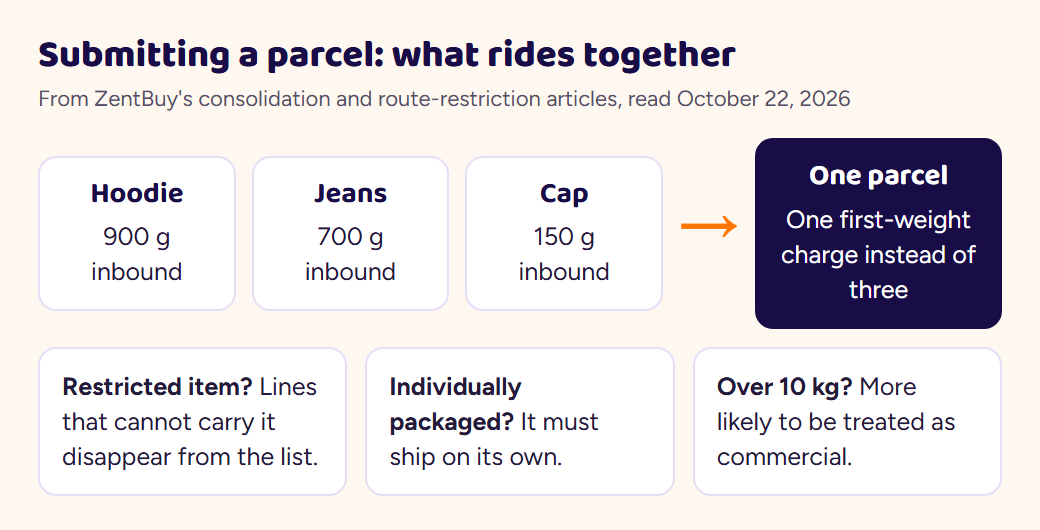
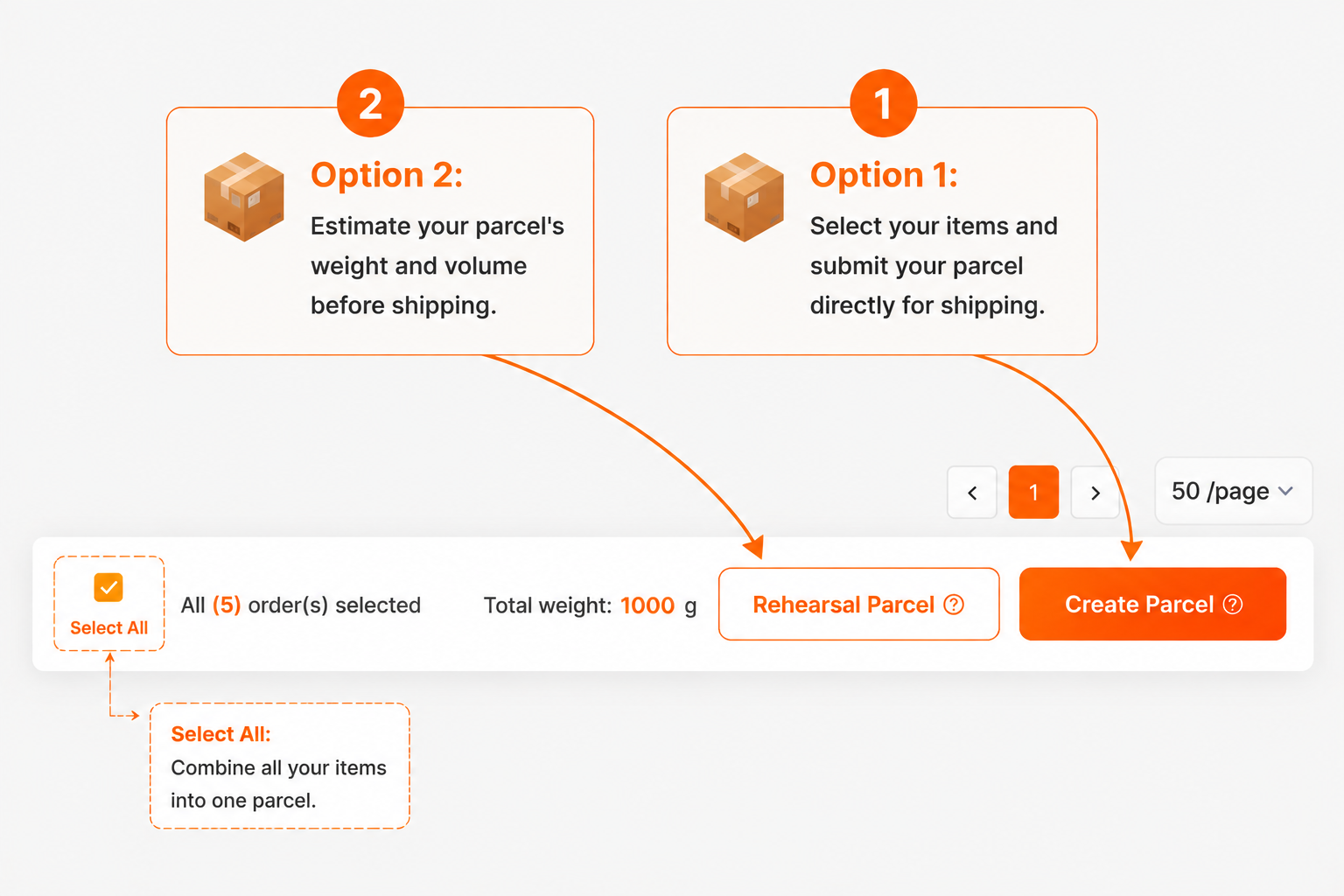
Items sit in My Warehouse until you tick them and submit a shipping request. Everything you tick is packed into one parcel. Sending items together is cheaper than sending them one by one because every parcel pays its own first-weight charge, and the consolidation article works through an example in yuan to show the gap. The same article carries two warnings: customs officers tend to see parcels heavier than 10 kg as commercial shipments, and the same goes for parcels holding many copies of one item.
Two things can stop items from travelling together. Some goods carry shipping restrictions set by the warehouse after inspection, which removes the lines that cannot carry them, and anything marked individually packaged has to go alone. If the estimated weight worries you, the Rehearsal Parcel service packs and measures the parcel first for a flat 20 CNY, normally within 24 hours, and you can still cancel afterwards. The status guide says a submitted parcel is packed within 24 hours.
Pay the international leg, then square up after weighing
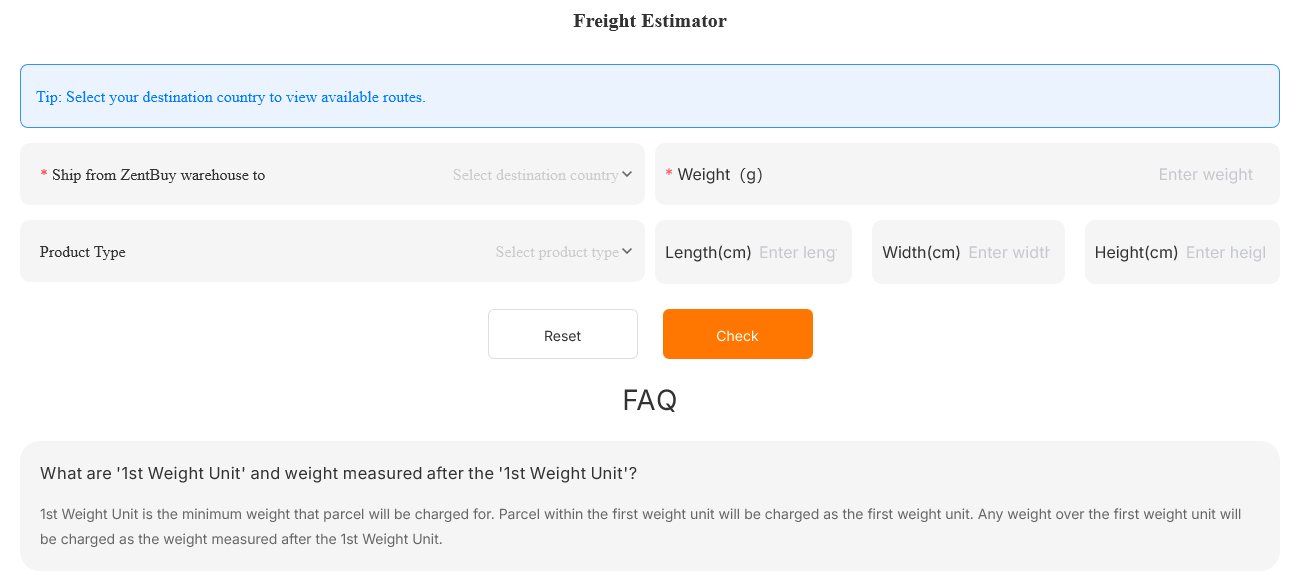
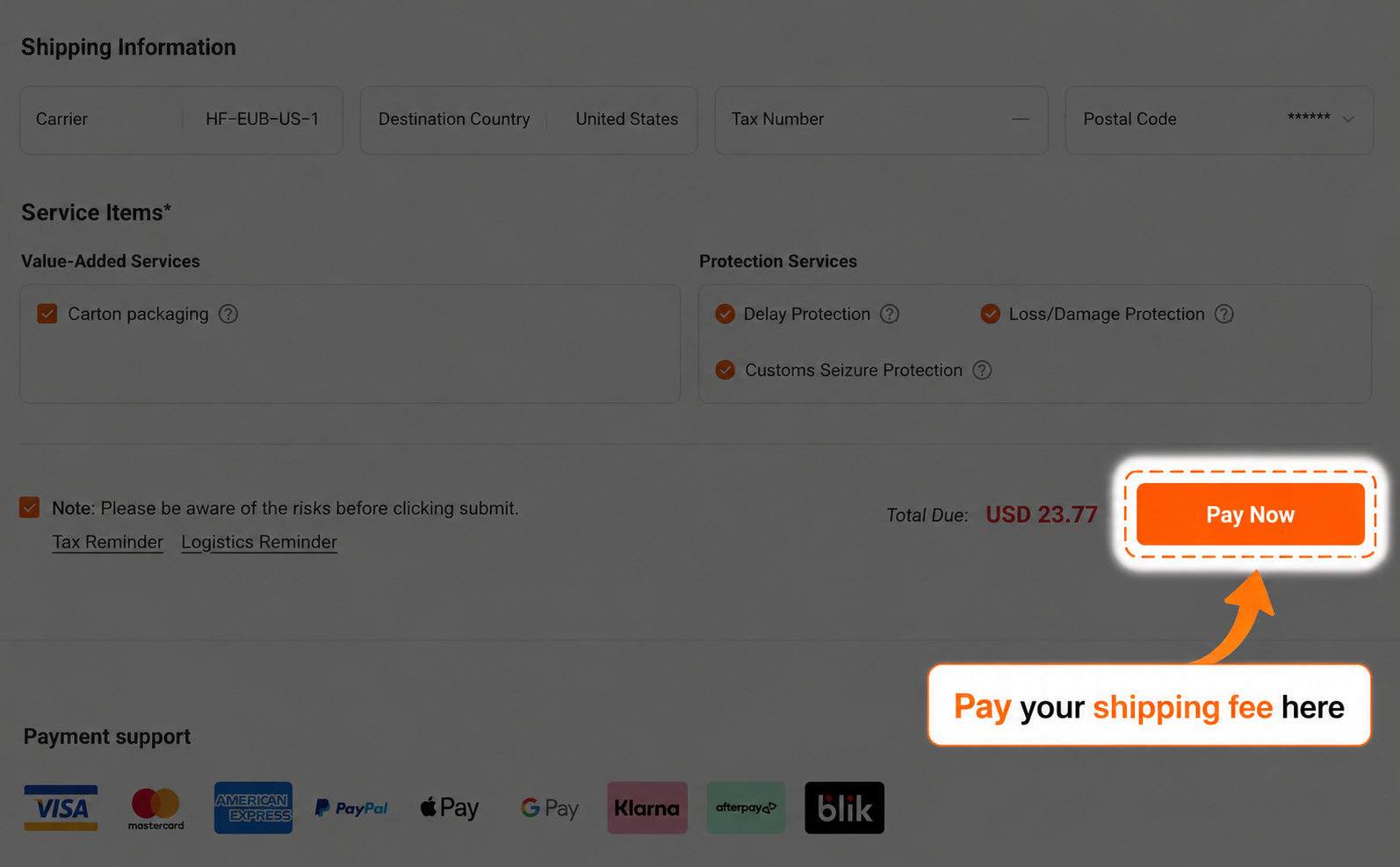
Freight is first charged on an estimated weight that the system builds from each item's inbound weight. Once packed, the parcel goes on the warehouse scale and gets a tape measure. Billing uses whichever figure is bigger, scale weight or volumetric weight, and the divisor behind volumetric weight changes from line to line. A lower final figure means the gap is refunded to the wallet balance; a higher one means a top-up before the parcel leaves. Each line on the estimator says whether it charges by volume or by actual weight.
The public Freight Estimator at zentbuy.com/shipping-estimate works without logging in. You pick a destination, type a weight in grams and, if you like, a product type and the box sides. When we replayed it on October 23 for ten countries, every line came back marked as air and as Tax free, each tagged with a 40 percent promotion and showing a struck-through list price above the price you would pay. The tag does not mean the whole quote is 40 percent lower: on our 900 g US quote the shown price was about 69 percent of the list price. Lines also sell optional delay, loss and seizure protection, which Fees and freight covers.
Film the unboxing in one unbroken take
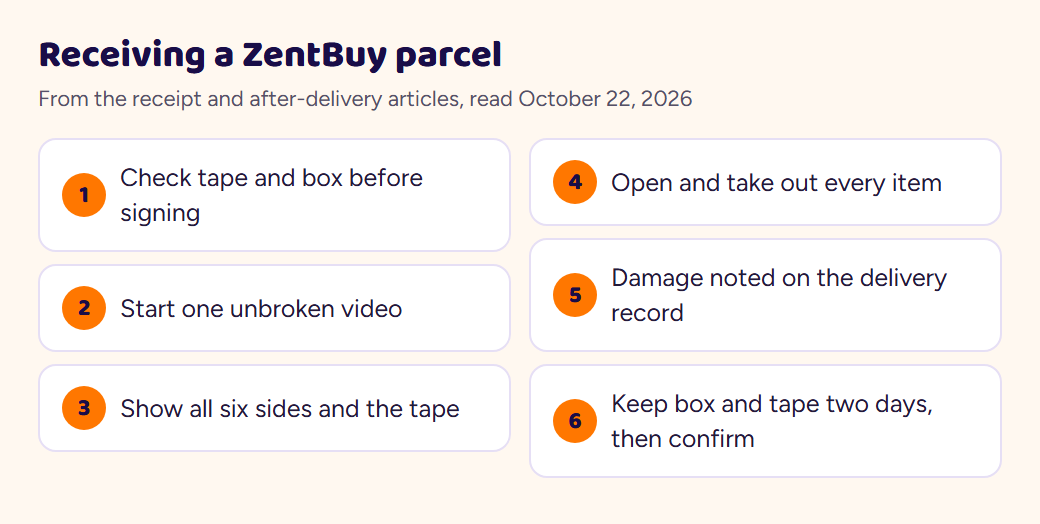
The after-delivery article recommends signing for the parcel instead of refusing it, because a refused parcel may travel back to China or be scrapped by the courier at your end. Look at the tape and the box before you sign. If you can, while the courier is still there, open it and film one unbroken video that shows all six sides of the box, the tape, the opening and every item coming out.
If something is broken or missing, ask the courier to write it on the delivery record, and keep the box and tape for at least two days. Loss and damage claims are reviewed and paid to your ZentBuy balance; delay is not compensated unless the line's delay protection was bought. When everything is in order, mark the parcel Delivered & Confirmed so the order closes.
Stuck statuses and what usually unsticks them
- Still at Order Submitted after a day. ZentBuy's buyers keep China office hours, listed on each item page in UTC+8, so an order sent on a Friday evening in Europe may wait. After that, open a ticket.
- No warehouse receipt after five days. The inspection article asks you to contact support so they can chase the seller or the domestic courier.
- No line offered when submitting. A restriction was set on one item during inspection. Support can sometimes lift it, at your own risk, if the item allows it.
- Items refuse to go together. One item is restricted or marked individually packaged; ship it on its own.
- Tracking has not moved. On some lines the first scan takes roughly three days to show, with gaps of three to ten days before the next, per the tracking article.
- Account locked. The usual causes are a payment under review or a PayPal or card chargeback. A chargeback locks the account until it is withdrawn, which also freezes orders and refunds, so contact support before disputing anything.